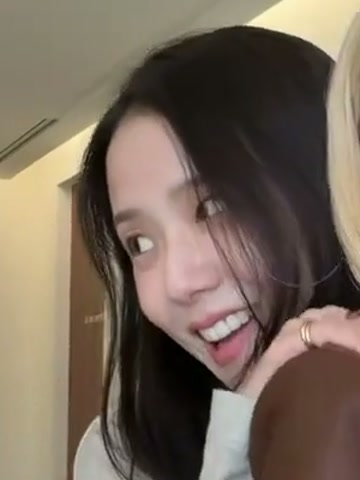
01 / PHOTO 1
The first role
Starts farther back on the left, comes close to the phone, then leans toward the other dancer.
AI Effects
Jisoo Addicted AI puts you and a friend into the 15-second ADDICTED hallway duet. Add one photo of each of you; the soundtrack is included.
The hallway duet
Jisoo Addicted AI turns two photos into the hallway duet from ADDICTED. One of you comes up to the phone, the other follows, then you switch places and finish side by side.
The room, the camera moves and the routine are already set. Your photos decide who is in it and what they wear.
Before you press Generate
Each photo takes one of these roles and keeps it, even when the two dancers cross the hallway. Use Swap roles to flip them.
Starts farther back on the left, comes close to the phone, then leans toward the other dancer.
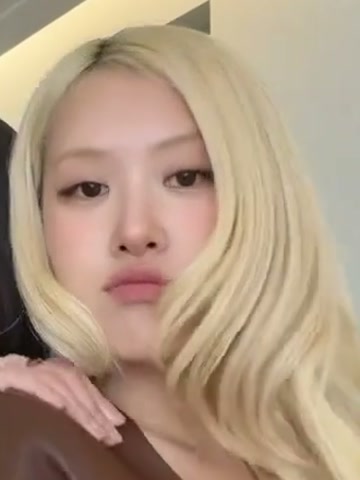
Starts nearer the phone on the right, turns through the middle and finishes beside the first dancer.
One consenting adult per photo. A clear face and visible outfit help; the two photos do not need matching backgrounds.
Watch for these moments
Three frames from the reference. The hand gestures and changes of position are what tie this short duet together.
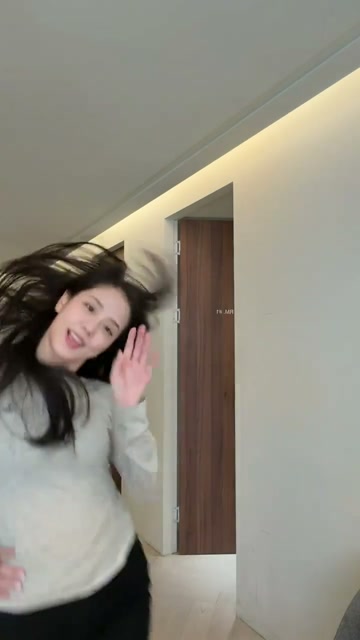 01
A quick close-up and a hand passing near the lens open the duet.
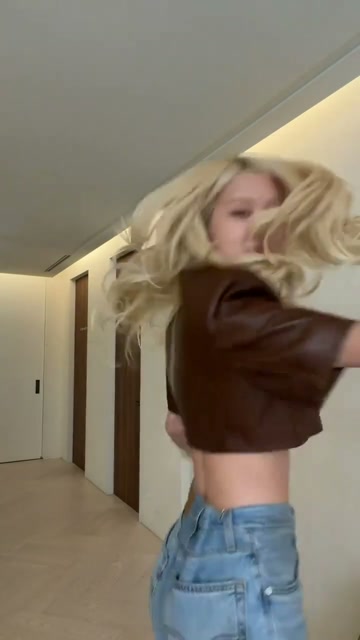 02
Both move through the middle. The roles stay with the people as they cross.
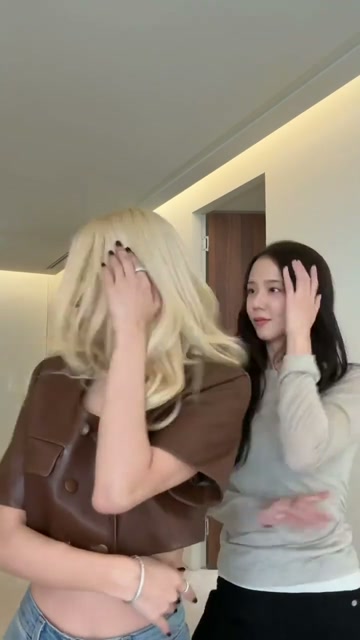 03
Side by side, the dancers bring their hands to their faces for the last part.
From two photos to a duet
You do not need to learn the steps or record yourself dancing.
Choose sharp, well-lit photos with one face each. Waist-up or full-body shots give the video more to work with.
Check the sample, use Swap roles if needed, then choose 480p or 720p. The length, room and soundtrack are already set.
When your Jisoo Addicted AI video is ready, play it with sound and download the MP4. My creations keeps it if you close this page.
Before you make yours
Jisoo Addicted AI turns two photos into the ADDICTED hallway duet made popular by Jisoo and Rosé. Your photos become the two dancers; the routine supplies the turns, close-ups and hand gestures. You get a new video without filming yourself dancing.
No. Upload two separate photos, one person in each. They can be taken in different places. The finished dance uses the hallway from the reference, so matching photo backgrounds is unnecessary.
Photo 1 replaces the dancer who starts farther back on the left. Photo 2 replaces the dancer nearer the camera on the right. They change places during the dance, but each photo stays with its assigned dancer. Use Swap roles before generating to reverse them.
This version replaces both dancers with the two people you upload. Add your photo and a friend’s photo for your own duet. The reference shows the routine, not a promise that either original performer will appear in your result.
Yes. The reference soundtrack is added to the finished video and included in the displayed credit price. The movement is newly generated, so some gestures may land slightly before or after the beat.
The video is 15 seconds in a vertical 9:16 frame. Choose 480p for 150 credits or 720p for 300 credits, including the soundtrack. A failed job returns its credits automatically.
You can, as long as the face is clear. A waist-up or full-body photo gives more information about clothing and proportions. With a headshot, the missing body and clothes have to be filled in. Keep hands away from the face and avoid heavy filters.
This page uses one fixed hallway routine. Your choices are the two people, their roles and the resolution. Watch the reference before you generate to check that it is the section you want.
It appears in My creations when it is ready. You can leave the page while it processes, then return to play or download the MP4.
Pick two photos, choose who takes each role, and generate.
Make our Jisoo Addicted AI videoJisoo Addicted AI is an independent effect inspired by an online dance trend. It is not affiliated with or endorsed by Jisoo, Rosé, BLACKPINK or their labels.
Choose the two dancers
Starts farther back on the left. Follows this dancer through every turn.
Starts nearer the camera on the right. Keeps this role when they cross.
300 credits · 15 seconds · 9:16 · Sound included
For creative and entertainment use only